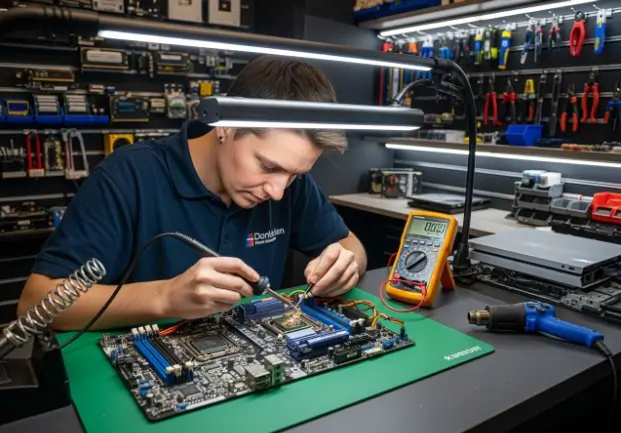
When Standard Repairs Aren’t Enough
When our favorite gaming consoles or computers suddenly stop working, our first thought is often, “Can it be fixed?” We quickly search for “computer console repair near me” hoping for a quick solution. However, tech repair is more complex than it often seems. Not all repairs are equal.
A cracked screen or a dying battery might be straightforward. But what about a device that won’t turn on at all, holding years of game saves or important files? That’s when basic fixes might not be enough.
We will explore the critical difference between standard component swapping and advanced repair techniques. We will dig into the specialized world of micro-soldering and sophisticated data recovery. These methods can often bring seemingly “unfixable” devices back to life. Understanding these advanced solutions can empower us. It helps us make informed decisions when our valuable tech faces serious issues. We will guide you through what these advanced repairs involve and why they are so important.
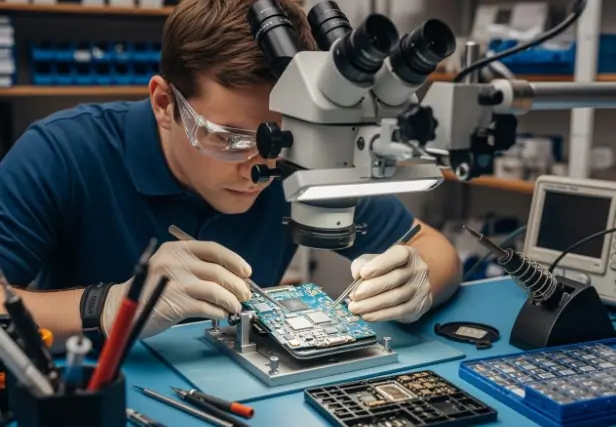
Imagine the frustration: your beloved gaming console, the hub of countless hours of entertainment and social connection, suddenly goes dark. Or perhaps your essential work laptop, a repository of critical documents and projects, refuses to power on. Our immediate reaction is often to seek a repair, assuming a simple part replacement will solve the problem. However, many device failures are far more intricate than a faulty screen or a worn-out battery.
The reality is that a significant number of tech issues stem from problems on the device’s main logic board, often referred to as the motherboard. These tiny, complex circuit boards house hundreds, if not thousands, of minuscule components, each playing a vital role in the device’s operation. When one of these components fails, or a connection breaks, the entire device can cease to function. This is where standard repairs often hit a wall.
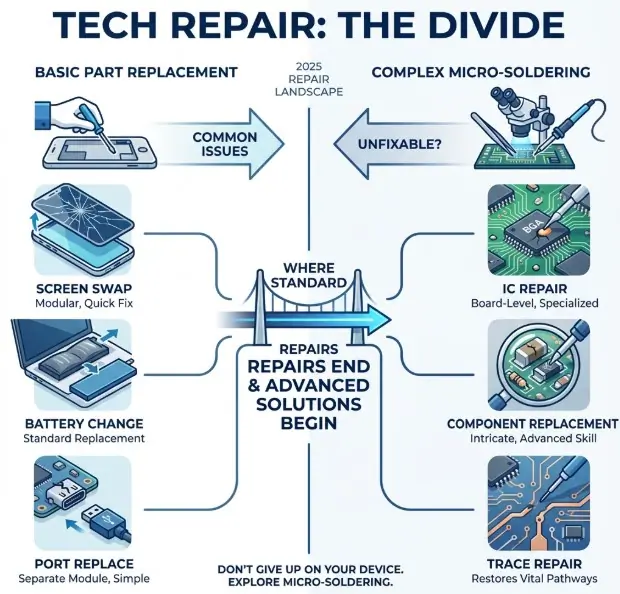
Standard repair shops typically excel at “component swapping.” This means they can easily replace modular parts like screens, batteries, charging ports (if they’re a separate module), and sometimes even hard drives or solid-state drives. These repairs are generally quick, often completed the same day for many common issues, and are relatively straightforward because they involve removing a faulty part and installing a new, functional one. Many repair services can boast same-day repairs for these types of issues, which is a testament to their efficiency for common problems.
However, when a device receives an “unfixable” diagnosis, it often means the problem lies deeper, beyond the scope of simple component swapping. This is particularly true for issues like a console that won’t power on, a laptop with no video output, or a device that suffered liquid damage. In these scenarios, the issue isn’t with a readily replaceable module, but with the intricate circuitry on the logic board itself.
Board-level repair, or micro-soldering, is the specialized skill set required to tackle these complex problems. It moves beyond simply replacing entire modules and instead focuses on diagnosing and repairing individual components or connections on the motherboard. This approach is more labor-intensive, requires specialized equipment, and demands a higher level of technical expertise. It’s the difference between changing a flat tire and rebuilding an engine.
For consumers, understanding this distinction is crucial. It means that an “unfixable” diagnosis from a standard repair shop isn’t always the final word. It merely means that the problem is beyond their current capabilities or equipment. For devices holding sentimental value, critical data, or simply being too expensive to replace, seeking out a specialist in advanced micro-soldering can be a game-changer. It offers a second chance for devices that would otherwise be relegated to the scrap heap.
What is Micro-Soldering and Component-Level Repair?
Micro-soldering is a highly specialized repair technique that involves working with extremely small electronic components on a microscopic level. Imagine trying to repair a watch mechanism, but instead of gears, you’re dealing with tiny resistors, capacitors, integrated circuits (ICs), and microscopic traces (the pathways for electricity) on a circuit board. This is micro-soldering.
Read More: Essential Home Maintenance: Expert Advice for HVAC, Garages, and Floors
At its core, micro-soldering uses precision tools to remove and replace individual components or repair broken connections on a device’s main logic board. These boards, whether in a smartphone, laptop, or game console, are the brain of the device. They contain all the crucial processing power, memory, and communication pathways. When a problem occurs at this level, it requires a technician with steady hands, exceptional eyesight (often aided by powerful microscopes), and years of experience.
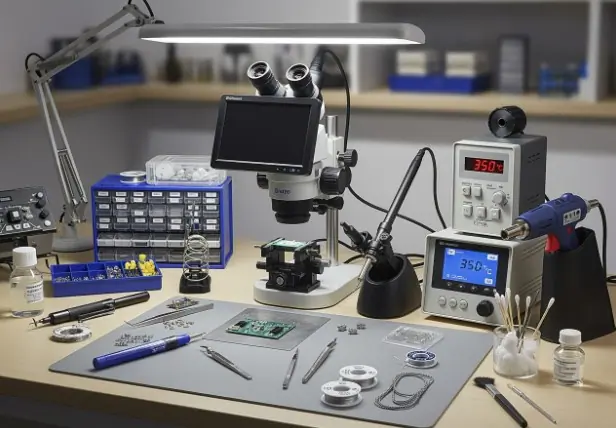
The essential tools for micro-soldering include a high-magnification microscope, a precision soldering iron with various fine tips, a hot air station for removing surface-mount components, specialized tweezers, flux, and solder paste. Each tool is critical for manipulating components that are often smaller than a grain of rice.
What exactly can micro-soldering achieve? It allows technicians to:
- Replace individual IC chips: These are the “brains” of specific functions on the board, such as power management, Wi-Fi, touch control, or video output. If an IC fails, replacing just that chip can restore functionality.
- Repair damaged traces: The tiny copper lines on the circuit board that carry electrical signals can be severed due to physical impact, corrosion from liquid damage, or manufacturing defects. Micro-soldering allows for the reconstruction of these broken pathways using fine copper wire or specialized conductive materials.
- Replace damaged connectors: FPC (Flexible Printed Circuit) connectors, which connect components like screens, cameras, or charging ports to the logic board, are prone to damage. If the connector on the board itself is damaged, micro-soldering can replace it, saving the entire board.
- Address power issues: Many “no power” issues stem from faults in the power delivery system on the motherboard. Micro-soldering allows for the diagnosis and repair of these intricate power circuits.
The application of micro-soldering is vast, covering a wide array of devices. For instance, it’s frequently used in:
- Smartphones: To fix charging issues, touch disease, backlight problems, or baseband issues.
- Laptops: To repair power jack issues, liquid damage, or graphics chip failures.
- Game Consoles: To address common issues like a non-functional HDMI port (which often involves replacing the port directly on the board), power delivery problems, or “Red Ring of Death” (Xbox) or “Yellow Light of Death” (PlayStation) type errors that indicate deeper board issues. These repairs can save valuable game saves and the console itself.
Differentiating from Basic Fixes
The distinction between micro-soldering and basic fixes cannot be overstated. Basic fixes, as mentioned, primarily involve modular component replacement. Think of it like this:
- Screen replacement: A new screen assembly is installed.
- Battery swaps: The old battery is removed, and a new one is put in.
- Charging port replacement (modular): If the charging port is on a separate flex cable that plugs into the motherboard, it’s a relatively simple swap.
These are essential services, and many reputable repair shops excel at them, often offering same-day service and a warranty, such as a 1-year limited warranty, on their work.
However, the limitations of part replacement become apparent when the root cause of the problem isn’t a modular part. If a charging port is physically ripped off the board, taking traces with it, or if liquid corrosion has damaged the power management IC, simply replacing the external charging port will not solve the problem. This is where micro-soldering steps in, addressing the actual “root cause” of the malfunction.
The skill requirement for micro-soldering is significantly higher. It demands extensive training, meticulous attention to detail, and a deep understanding of electronics and circuit diagrams. Technicians must be able to read schematics, diagnose complex issues using multimeters and oscilloscopes, and then execute precise repairs under magnification.
Specialized equipment is another differentiator. While basic repairs might require standard screwdrivers, spudgers, and heat guns, micro-soldering necessitates a suite of high-precision tools, including advanced microscopes, hot air rework stations, and specialized soldering equipment, all of which represent a substantial investment. This is why not every repair shop offers these advanced services.
While basic repairs fix symptoms by replacing entire parts, advanced micro-soldering aims to fix the underlying disease by repairing the specific damaged components on the device’s most critical part – its logic board. This can often be the only pathway to reviving a seemingly dead device.
The Critical Role of Advanced Device Repair in Data Recovery
One of the most devastating aspects of a device failure, especially for computers and smartphones, is the potential loss of invaluable data. Whether it’s cherished family photos, critical business documents, academic research, or those irreplaceable game saves on your console, data loss can be far more impactful than the cost of the device itself. When a device won’t power on, is severely water damaged, or has suffered significant physical trauma, standard data recovery methods (like plugging it into another computer) are often impossible. This is where advanced device repair, particularly micro-soldering, plays a critical, often life-saving, role in data recovery.
Consider these common data loss scenarios:
- Device won’t power on: If the logic board has a power delivery issue, the device remains unresponsive, locking away all its internal storage.
- Water damage: Liquid can cause widespread corrosion, shorting out components and preventing the device from booting, even if the storage chip itself is intact.
- Physical trauma: A drop can sever internal connections, damage ICs, or even crack the logic board, making the device unreadable.
In these situations, the storage chip (e.g., NAND flash in phones, SSD in laptops/consoles) might be perfectly fine, but the pathways to access it are broken. Without the device powering on and functioning sufficiently to allow data transfer, the data remains inaccessible. This is precisely when advanced micro-soldering techniques become indispensable. Instead of trying to recover data from a dead device, the goal is to repair the device enough to allow for data extraction.
For many, the ability to recover photos, retrieve contacts, access business files, or restore game progress is paramount. For businesses, the loss of proprietary data can be catastrophic. Therefore, finding a local specialist, like an Albuquerque advanced device repair, is crucial for these delicate tasks. Such specialists possess the expertise and equipment to perform board-level repairs specifically aimed at bringing the device back to a state where its data can be safely extracted. This is often the last resort before declaring data permanently lost.
The Process of Advanced Device Repair for Data Access
The process of using advanced device repair for data access is meticulous and often involves several stages:
- Diagnostic Process: The first step is a thorough diagnostic to pinpoint the exact failure point on the logic board preventing the device from booting or communicating. This involves using schematics, multimeters, thermal cameras, and microscopes to identify damaged components, short circuits, or broken traces. Reputable services often offer free diagnostics or a diagnostic fee that is applied to the repair cost if you proceed.
- Power Circuit Repair: If the device has no power, the technician will focus on repairing the power delivery system. This might involve replacing a faulty power management IC (PMIC), repairing damaged power lines, or addressing short circuits that are preventing power from reaching critical components. The aim isn’t necessarily a full, long-term repair of every function, but rather to get enough power flowing to enable data access.
- Data Line Restoration: In cases of physical damage or corrosion, the data lines connecting the storage chip to the main processor might be compromised. Micro-soldering allows technicians to repair these microscopic data pathways, re-establishing communication between the storage and the rest of the system.
- Bypassing Damaged Components: Sometimes, a component crucial for full device functionality (e.g., Wi-Fi chip) might be too severely damaged or complex to repair quickly, but it’s not essential for data access. In such cases, the technician might temporarily bypass the problematic section of the circuit to allow the device to boot just enough for data extraction.
- Temporary Fixes for Data Extraction: The repair might be a “data recovery only” fix, meaning the device might not be fully functional or stable for daily use afterward. The priority is to create a window of opportunity to extract the data. This could involve a temporary power jump, a partial board repair, or even transferring the storage chip to a donor board (though this is a highly complex and rare procedure for most consumer devices).
- Permanent Board Repair: If the client desires, and the damage allows, the temporary data access fix can often be converted into a more permanent board repair, restoring full functionality to the device. However, for data recovery, the primary goal is simply to get the device to a state where the data can be read.
The value of this service cannot be overstated. It provides a lifeline for individuals and businesses facing the catastrophic loss of digital assets. While the cost can be higher than basic repairs due to the specialized nature of the work, the value of the recovered data often far outweighs the repair expense.
Common Issues Requiring Advanced Repair Techniques
Many frustrating device malfunctions stem from issues that are too intricate for standard component replacement and demand the precision of micro-soldering. Understanding these common problems can help you identify when to seek out an advanced repair specialist.
Here’s a list of common problems solvable with micro-soldering:
- Water Damage Corrosion: Liquid exposure is one of the most common culprits for complex device failures. Water and electricity don’t mix, and liquid can cause short circuits and corrosion that eat away at microscopic traces and components on the logic board. While initial cleaning might help, often specific ICs or pathways are damaged, leading to no power, charging issues, or component failures (e.g., camera, Wi-Fi not working). Micro-soldering is essential to clean, repair, and replace these corroded parts.
- No Power or Boot Loops: When a device refuses to turn on or gets stuck in a continuous reboot cycle, it frequently points to a problem with the power management unit (PMIC), a short circuit on the main power rail, or damage to critical boot components on the logic board. These are internal board-level issues that require diagnostic tools to trace the power flow and micro-soldering to replace the faulty IC or repair the short.
- Backlight Circuit Failure: If your screen displays an image but remains completely dark (no backlight), the issue is rarely the screen itself. More often, it’s a failure in the backlight circuit on the logic board, which involves tiny coils, capacitors, and a backlight driver IC. Repairing this requires precise component replacement under a microscope.
- Charging Port Damage (Board-Level): While some charging ports are modular and easily replaceable, many are directly soldered onto the logic board. If the port is physically damaged, or if the pads it connects to on the board are ripped off, a simple swap isn’t possible. Micro-soldering is needed to rebuild the damaged pads and resolder a new port firmly in place. This is a very common issue for gaming controllers and handheld consoles like the Nintendo Switch.
- Damaged FPC Connectors: FPC (Flexible Printed Circuit) connectors are the tiny, delicate connectors on the logic board where components like the screen, camera, battery, or charging flex cables plug in. These can be easily damaged if a repair is attempted incorrectly, or if the device suffers an impact. If the pins inside the connector are bent or broken, or the entire connector is ripped off the board, micro-soldering is the only way to replace it.
- Video Output Issues (e.g., HDMI Port Repair): For gaming consoles like PlayStation, Xbox, and even some laptops, a common failure point is the HDMI port. If the port is physically bent, broken, or has internal pin damage, it will result in no video output. Replacing an HDMI port requires specialized hot air rework and micro-soldering to desolder the old port and precisely solder a new one onto the board, ensuring all pins make proper contact. This is a highly sought-after repair for console gamers.
- Controller Issues (Board-Level): While many controller issues are solvable with button or joystick replacements, some deeper problems, like charging issues (if the charging port is board-mounted), or specific button input failures, can stem from the controller’s internal logic board. Micro-soldering can be used to repair or replace components on the controller’s PCB.
Why DIY is Not an Option for Advanced Device Repair
While we often encourage DIY for minor repairs and general tech maintenance, advanced device repair involving micro-soldering is emphatically not a DIY endeavor. The risks and complexities are simply too high for the average user, or even an experienced hobbyist, to undertake without specialized training and equipment.
Here’s why attempting DIY micro-soldering is a recipe for disaster:
- Risk of Permanent Damage: The components on a modern logic board are incredibly small and fragile. A single slip of a soldering iron, an incorrect temperature setting, or applying too much force can easily destroy multiple components, burn traces, or even crack the board, rendering the device permanently unfixable. The cost of replacing a logic board is often close to the cost of a new device, negating any potential DIY savings.
- Microscopic Components: You cannot perform micro-soldering without a powerful microscope. The components are often invisible or barely visible to the naked eye. Attempting to work on them without proper magnification is like trying to perform surgery blindfolded.
- Required Expertise: Micro-soldering isn’t just about melting solder. It requires a deep understanding of electronics, circuit theory, schematic reading, and component identification. Technicians must know what each component does, how it interacts with others, and how to diagnose failures using specialized testing equipment. This knowledge is gained through extensive training and experience.
- High Cost of Equipment: The specialized tools needed for micro-soldering (high-quality microscope, precision soldering station, hot air rework station, specialized flux, solder paste, stencils, power supplies, multimeters, oscilloscopes) represent an investment of thousands of dollars. This is far beyond what a casual DIYer would possess or justify.
- Electrostatic Discharge (ESD) Dangers: Electronic components are extremely sensitive to electrostatic discharge. A static shock from your finger, even one you can’t feel, can instantly destroy delicate ICs. Professional repair environments use ESD-safe mats, wrist straps, and grounded tools to prevent such damage, which is rarely replicated in a home environment.
For these reasons, if your device requires advanced board-level repair, your best course of action is always to seek a qualified professional. The potential for saving money by DIYing is far outweighed by the risk of destroying your device completely.
How to Choose a Qualified Repair Specialist
When faced with a complex device issue that requires advanced repair, selecting the right specialist is paramount. This isn’t a task to be taken lightly, as the quality of the repair can determine whether your device gets a second life or becomes e-waste. Here’s what to look for and consider when choosing a qualified repair service.
- Experience and Specialization: Look for a repair shop that explicitly advertises advanced board-level repair or micro-soldering services. Many general repair shops handle screen and battery replacements but lack the tools and expertise for intricate board work. Ask about their experience with your specific device model and the type of issue you’re facing. A specialist in gaming console repair, for instance, will have specific knowledge of common console board failures.
- Diagnostic Fees: Reputable repair services will often offer free diagnostics for basic issues. For advanced board-level problems, a diagnostic fee is common and understandable, as it requires significant time and specialized equipment to pinpoint the exact fault. However, a good practice is for this diagnostic fee to be applied towards the total repair cost if you proceed with the service. This shows transparency and fairness.
- Repair Warranty: A strong warranty is a hallmark of a confident and reliable repair service. Inquire about the warranty offered on their advanced repairs. Many reputable services offer a 1-year limited warranty on parts and labor, covering the specific repair performed. For liquid damage, the warranty might be shorter due to the unpredictable nature of corrosion, but a warranty of at least 3 months is a good baseline to expect. A limited lifetime warranty on repairs is even better, demonstrating exceptional confidence in their workmanship.
- Customer Reviews and Reputation: Online reviews are a powerful indicator of a business’s quality. Look for consistent positive feedback regarding their technical expertise, customer service, and success rates for complex repairs. Pay attention to reviews that specifically mention board-level or micro-soldering repairs.
- Transparent Pricing: While advanced repairs are inherently more expensive than simple component swaps, a qualified specialist should be able to provide a clear estimate after a thorough diagnostic. They should explain what needs to be done, why, and what the associated costs are, with no hidden fees. Be wary of shops that offer suspiciously low prices for complex repairs, as this might indicate a lack of proper tools, expertise, or quality parts.
- Communication Process: A good repair service will keep you informed throughout the repair process. They should communicate clearly about the diagnostic findings, the proposed solution, estimated turnaround time, and any potential challenges. You should feel comfortable asking questions and receiving understandable answers.
Questions to Ask Your Technician
Before committing to an advanced repair, prepare a few key questions to ask your prospective technician:
- “What is your experience with [my device model] and [my specific issue]?” This helps gauge their familiarity and success rate.
- “What kind of warranty do you offer on this specific repair, and what does it cover?” Clarify the duration and what happens if the problem recurs.
- “What is the estimated turnaround time for this repair?” Advanced repairs take longer than basic ones, often several days to a week or more, especially if specialized parts need to be ordered. Be realistic about expectations.
- “What is your data privacy policy, especially if the device contains sensitive information?” Ensure they have protocols in place to protect your data.
- “What is your success rate for similar issues?” While no repair is 100% guaranteed, a specialist should have a good track record for complex board-level repairs.
- “Do you perform the micro-soldering in-house, or do you send it out?” In-house micro-soldering is preferable, as it means better control over quality and turnaround time.
By asking these questions and evaluating the repair service based on the criteria above, you can significantly increase your chances of a successful and lasting repair for your valuable electronic devices.
Conclusion
In a world increasingly reliant on technology, the sudden failure of a computer or gaming console can be more than just an inconvenience; it can be a significant disruption. While many common issues can be resolved with straightforward component swaps, we’ve learned that not all tech repair is equal. When a device is deemed “unfixable” by standard means, or when invaluable data is trapped within a dead machine, advanced micro-soldering and component-level repair emerge as critical, often heroic, solutions.
We’ve explored how micro-soldering goes beyond basic fixes, delving into the microscopic world of logic boards to repair individual components and traces. This specialized skill, requiring extensive training, precision tools, and deep electronic knowledge, can revive devices suffering from water damage, power issues, broken HDMI ports, and more. We’ve also highlighted its indispensable role in data recovery, often providing the only pathway to retrieve cherished memories or essential files from seemingly dead devices.
The decision to pursue advanced repair empowers consumers, offering a viable alternative to costly device replacement and preventing premature electronic waste. It gives a second life to beloved consoles, essential laptops, and data-rich smartphones. However, it’s crucial to recognize that this is not a DIY endeavor due to the inherent risks and complexities.
Instead, when faced with such intricate problems, the path forward is clear: seek out a qualified repair specialist. By understanding what to look for—experience, transparent diagnostics and pricing, strong warranties, and a solid reputation—we can make informed choices. Asking the right questions ensures that our valuable tech is in the hands of experts who can truly make a difference.
The value of advanced micro-soldering and data recovery lies in its ability to solve problems that others can’t, preserving our devices, our data, and our peace of mind. When your tech faces a serious challenge, there’s often a solution beyond the obvious, waiting to be applied by skilled hands.
Apart from that, if you want to know more about Boost Your Curb Appeal: Tips for Exterior Painting, Roofing, and Window Treatments then visit our Home Appliances category.
Imagine the frustration: your beloved gaming console, the hub of countless hours of entertainment and social connection, suddenly goes dark. Or perhaps your essential work laptop, a repository of critical documents and projects, refuses to power on. Our immediate reaction is often to seek a repair, assuming you have the necessary space above kitchen cabinets for such repairs.